See It in Action
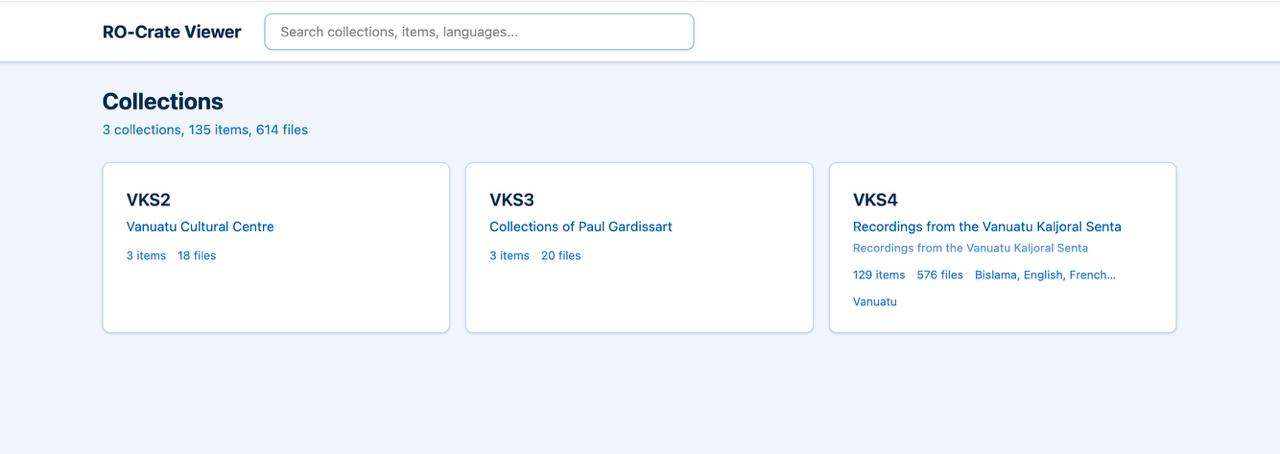
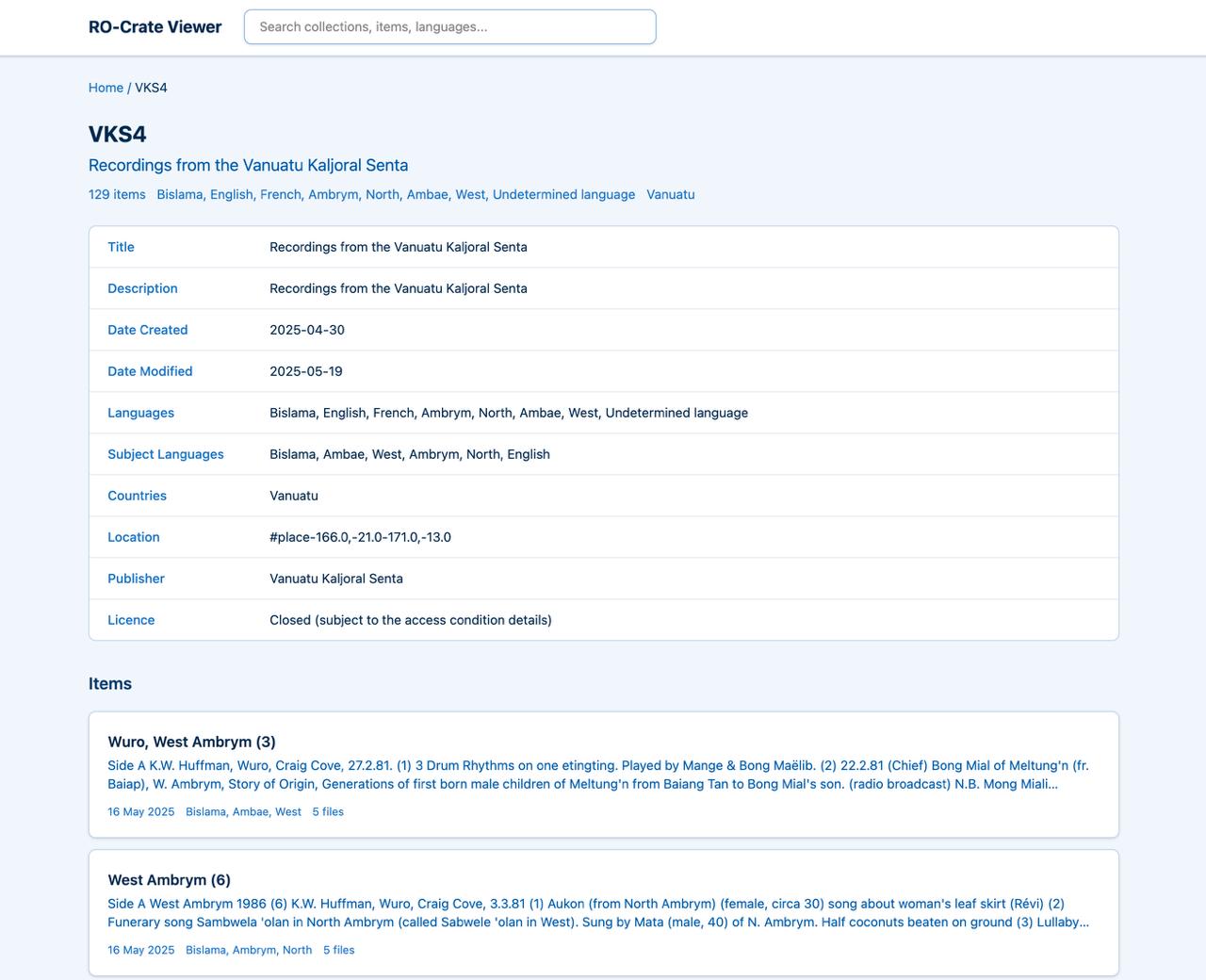
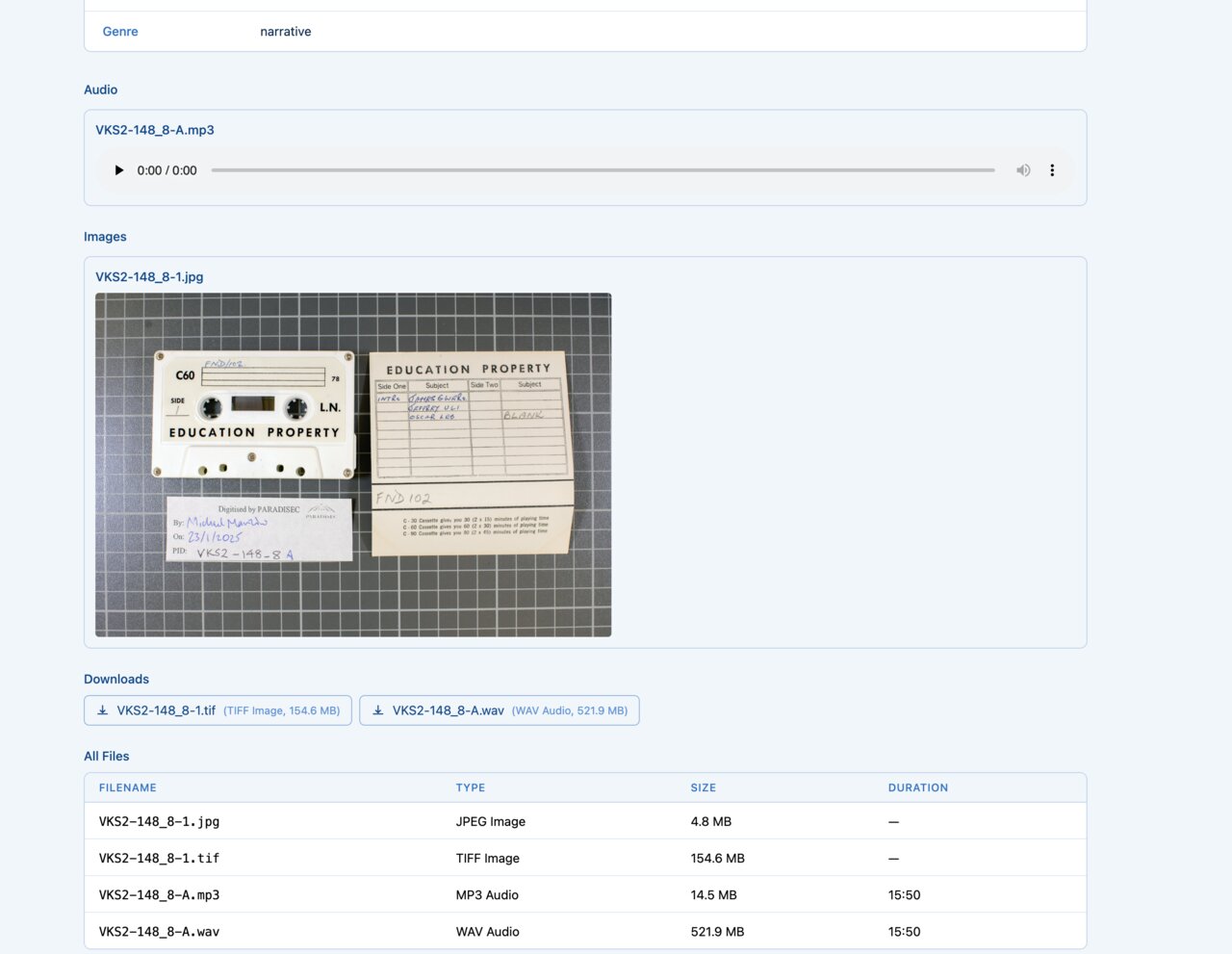
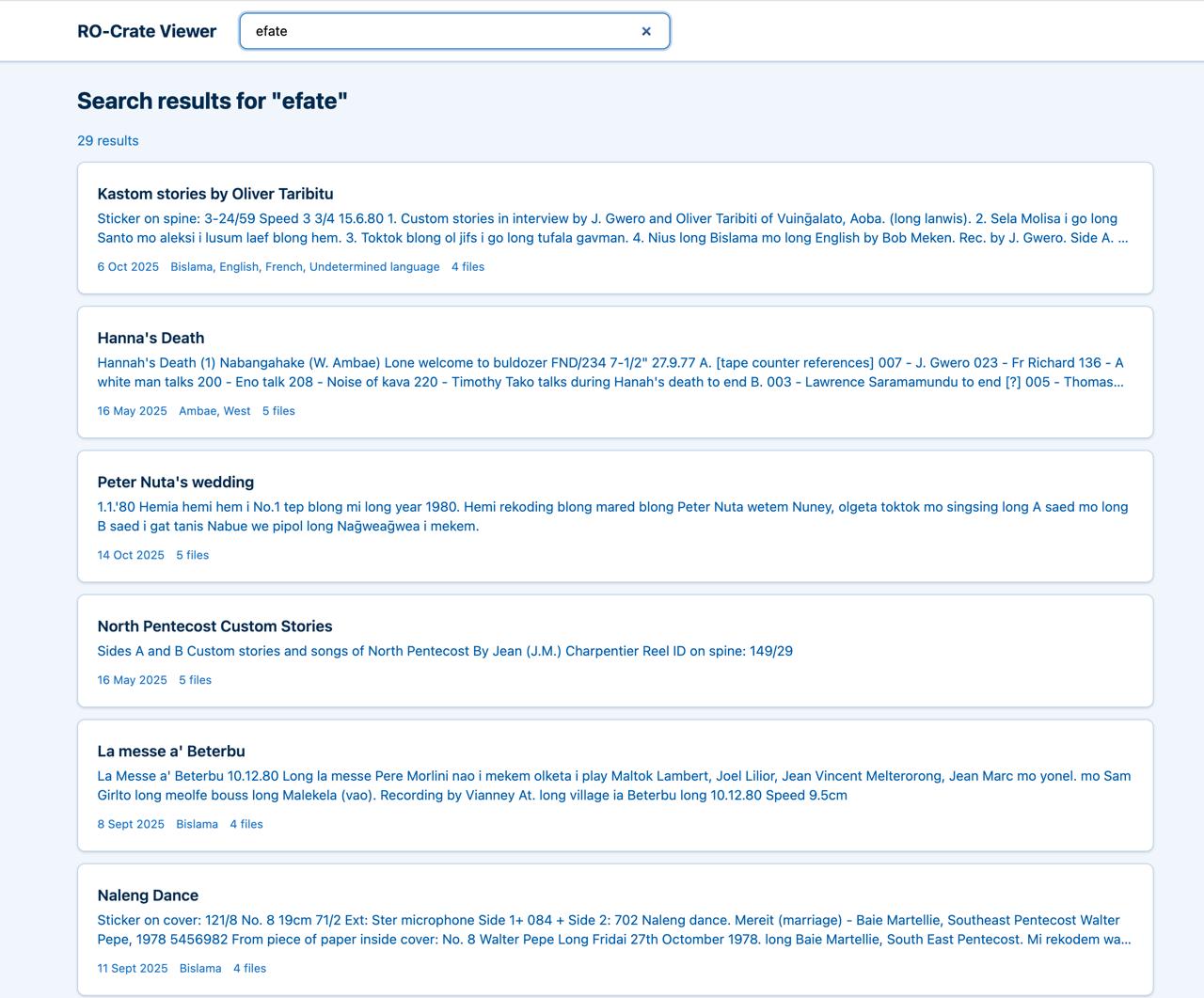
A clean interface for navigating collections, items, and files
Browse RO-Crate archives offline — no server required
A clean interface for navigating collections, items, and files
Works without a web server — just open index.html directly in your browser.
Hierarchical browsing of your archive structure at every level.
Built-in audio player and image viewer for MP3, WAV, JPEG, and PNG files.
Search across items, collections, languages, and filenames.
RO-Crate rootDataset display with resolved linked entities.
A single curl command downloads and sets everything up.
Get up and running in under a minute
curl -fsSL https://github.com/paradisec-archive/static-rocrate-viewer/releases/latest/download/install.sh | bash
bashcurltardata/
└── {CollectionId}/
├── ro-crate-metadata.json
└── {ItemId}/
├── ro-crate-metadata.json
├── audio.mp3
└── image.jpgWhat does the install script do? It downloads the latest release tarball, extracts the pre-built viewer files, and runs the catalog generator against your data/ directory to produce the static browse and search indexes.
Need more detail? See the step-by-step guide below for a complete walkthrough with examples.
Place your RO-Crate files in data/{CollectionId}/{ItemId}/
A single curl command downloads the viewer and generates your catalog
Double-click index.html — no server needed
A detailed walkthrough for setting up the viewer with your data
Before you begin, you need Node.js (version 20 or later) installed on your computer. If you don't have it, visit nodejs.org and download the LTS version — it includes everything you need.
You also need curl and tar, which come pre-installed on macOS and Linux.
Create a new folder where the viewer and your data will live together. Open a terminal and run:
mkdir ~/my-archive
cd ~/my-archive
You can name this folder anything you like and put it anywhere. The installer will place the viewer files directly into this directory.
Place your RO-Crate data inside a data/ folder within your working directory. The viewer expects a two-level hierarchy: collections contain items, and each item has a metadata file alongside its media files.
Here's a concrete example with two collections:
my-archive/
└── data/
    ├── NT1/                            ← Collection folder
    │   ├── ro-crate-metadata.json      ← Collection metadata (optional)
    │   ├── 001/                        ← Item folder
    │   │   ├── ro-crate-metadata.json  ← Item metadata
    │   │   ├── NT1-001-001A.mp3        ← Audio recording
    │   │   └── NT1-001-001A.jpg        ← Image
    │   └── 002/                        ← Another item
    │       ├── ro-crate-metadata.json
    │       └── NT1-002-001A.mp3
    └── AC1/                            ← Another collection
        ├── ro-crate-metadata.json
        └── 001/
            ├── ro-crate-metadata.json
            └── AC1-001.wav
data/ (e.g. NT1, AC1)001, 002)ro-crate-metadata.json filero-crate-metadata.json is optional but recommended — it provides the collection name and description shown in the viewerFrom inside your working directory, run the install command:
curl -fsSL https://github.com/paradisec-archive/static-rocrate-viewer/releases/latest/download/install.sh | bash
This command does three things:
ro-crate-metadata.json filesAfter it finishes, your directory will look like this:
my-archive/
├── data/                ← Your data (unchanged)
├── index.html           ← Open this in your browser
├── catalog.js           ← Generated search index
├── rocrate-data.js      ← Generated metadata
├── generate-catalog.js  ← Catalog generator script
└── assets/              ← Viewer CSS and JavaScript
Open index.html in your web browser. The easiest way is to double-click it in your file manager. From the terminal, you can run:
# macOS
open index.html

# Linux
xdg-open index.html
The viewer works in all modern browsers — Chrome, Firefox, Safari, and Edge. No web server is required; it runs directly from the file on your computer.
To share your browsable archive with others:
my-archive/ folder into a ZIP file. The recipient unzips it and opens index.html — no installation needed on their endpython3 -m http.server 8080